Getting Started
API quickstart
Generate an API key and make your first Sillage API request.
Sillage API gives client applications read access to workspace content, content requests, top accounts, and account mapping status.
1. Generate an API key
The API uses workspace API keys. Generate one from the Sillage app before making requests.
- Open Sillage and select the workspace you want to query.
- Go to Settings → API Keys.
- Click Generate API Key.
- Give the key a name, choose an expiration, then click Generate.
- Copy the key immediately. It is only shown once.
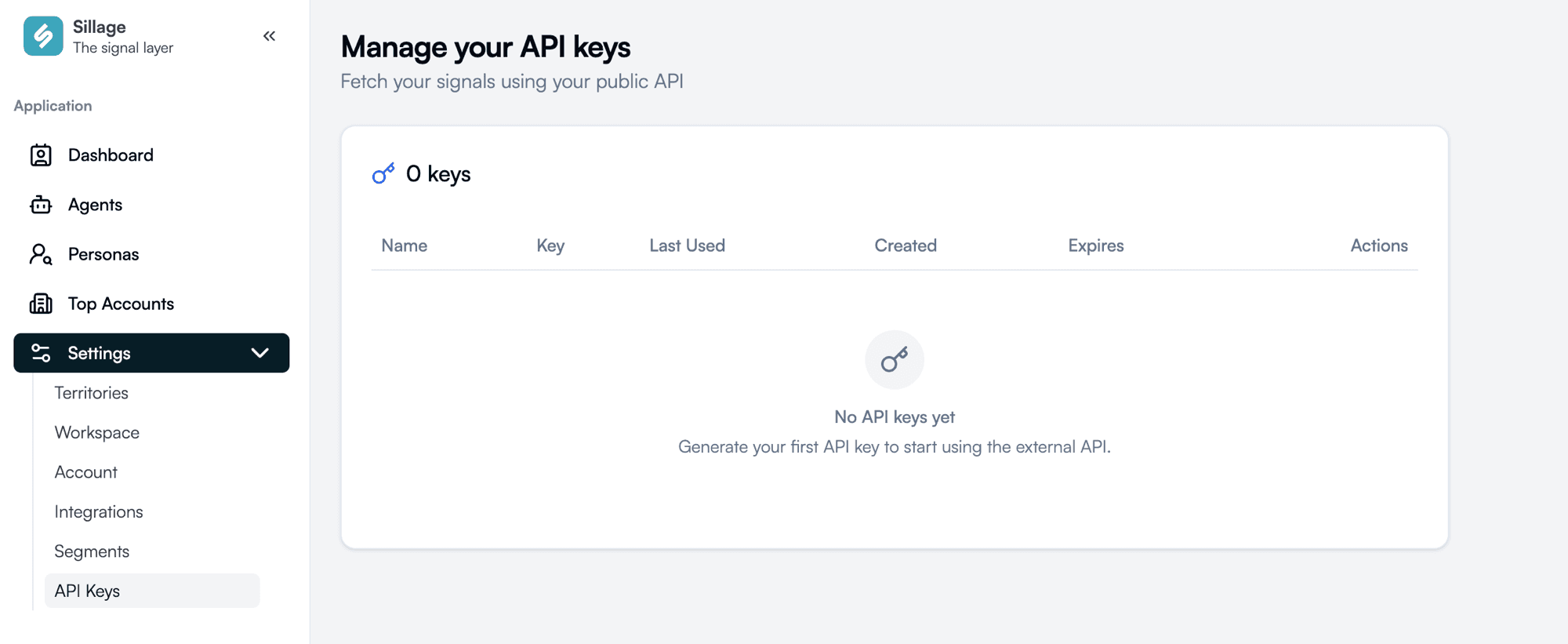
If you do not see API Keys, ask a workspace admin or Sillage support to enable public API key generation for your workspace.
2. Store the key as an environment variable
export SILLAGE_API_KEY="sk_live_..."Do not commit API keys to source control and do not expose them in browser code.
3. Make your first request
curl -X POST "https://api.getsillage.com/api/v2/contents/query" \
  -H "Authorization: Bearer $SILLAGE_API_KEY" \
  -H "Content-Type: application/json" \
  -d '{"page_size": 5}'
4. Browse the API reference
Start with Authentication, then use the endpoint references for workspace contents, content requests, top accounts, and account mapping.