Create my persona
Tell Sillage who you sell to, so it finds the right people in your accounts.
Sillage looks for the people you described in your persona inside every account you follow, and only suggests leads that match it. Create it right after your workspace, before your lists and signal setups.
Before you start
You need the Admin role. A contributor sees the persona but cannot change it.
Open your persona
Click Persona in the sidebar. If you have none yet, the page opens on an empty form.
Describe who you sell to
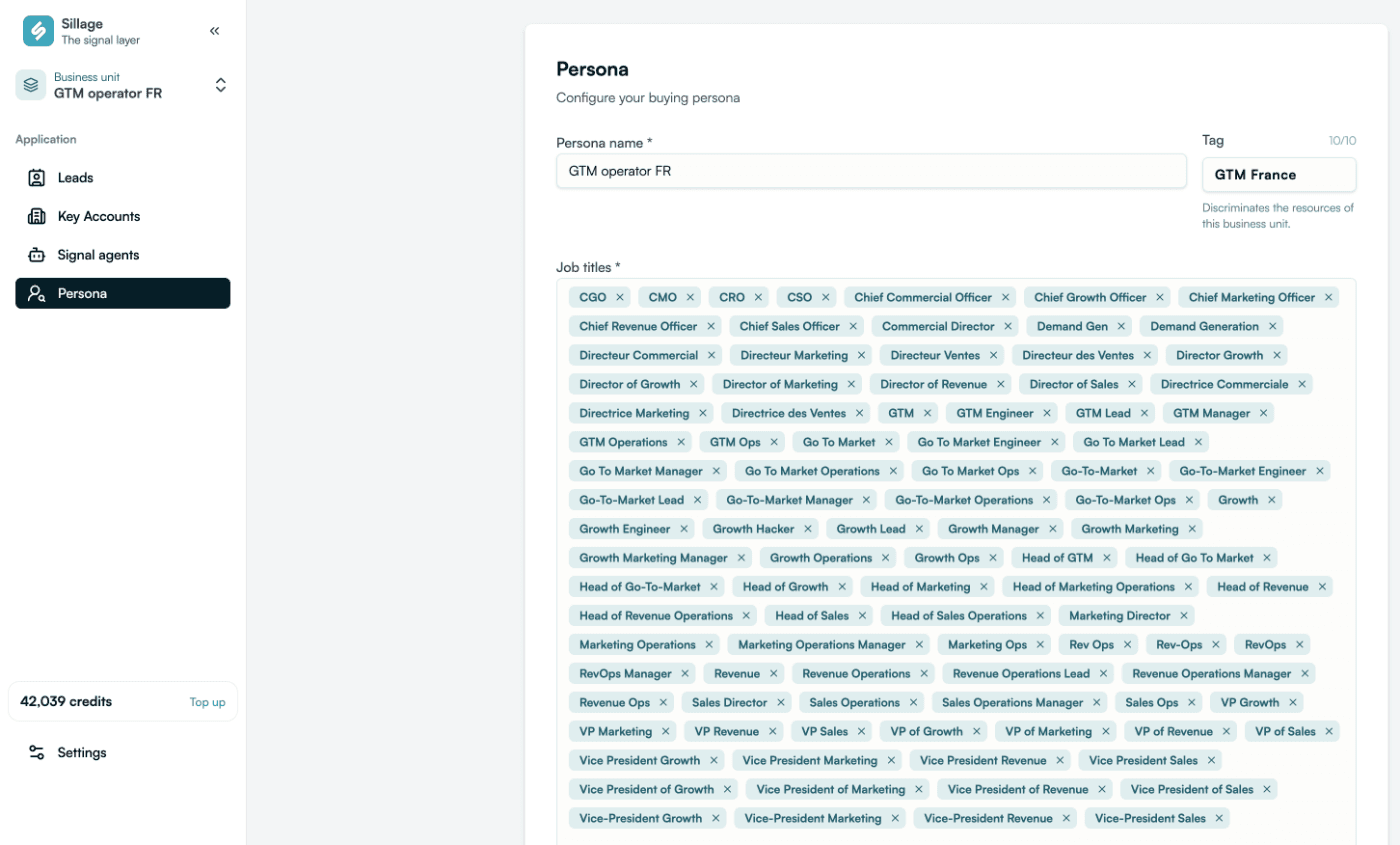
Fill in the form. The three boxes marked with a star are required.
- Persona name: a name your team recognizes, like "Enterprise Decision Makers".
- Job titles: the titles you sell to, like "Head of Sales", "VP Sales", "RevOps Manager".
- Company size: the company sizes you sell to, from 1-10 to 10,001+.
- Seniority: the levels you want to reach.
- Industries: what the companies you sell to do, in words or sentences.
- Locations: a country, a region, or Worldwide.
- Excluded job titles: people whose LinkedIn headline holds one of these words never become leads, like "Intern".
- Exclusion criteria: what you never want, like an industry or a specific company.
Save it
Click Create persona. To change it later, edit the form and click Save changes.
How you know it worked
The Persona page shows your saved choices. Ask your assistant "What is left to set up?": the persona is no longer on the list.
Every change you make later applies to your signal setups the next time Sillage checks for signals.
Next
Build my lists of the companies you want to follow.