Build my lists
Group the companies and people you follow, so Sillage knows where to look.
Your lists tell Sillage which companies and people matter to you: the accounts you want to win, your customers, your competitors, your champions. Build them after your persona, before your first signal setup.
Before you start
- You need the Admin role: lists are managed by admins.
- Create your persona first: Sillage uses it to find the right people in each company.
Pick the right kind of list
| List | Who is on it |
|---|---|
| Prospects | The accounts you want to win, in Tier 1, 2 or 3 |
| Customers | Your current customers, for upsell and retention |
| Competitors | Your competitors, to see who engages with them |
| Partners | Your partners, to see who engages with them |
| Champions | People who bought from you before, to follow their moves |
| Influencers | Voices in your market, to see who engages with them |
Your Prospects and Customers lists make up your key accounts.
Open your lists
Click Settings at the bottom of the sidebar, then Lists. You see your Company lists and your People lists.
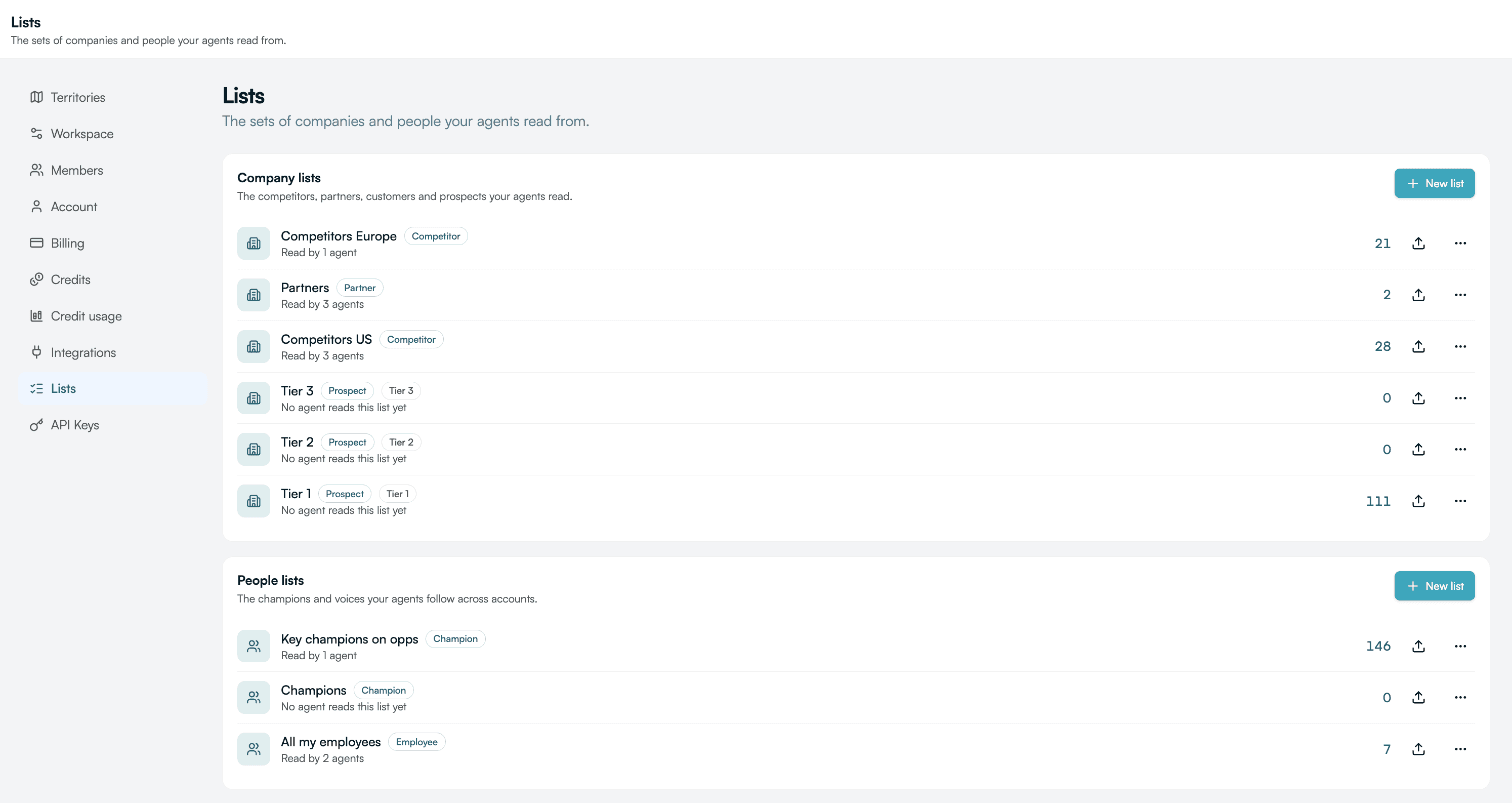
You can also start from Key Accounts: click Add account, then + New list….
Create a company list
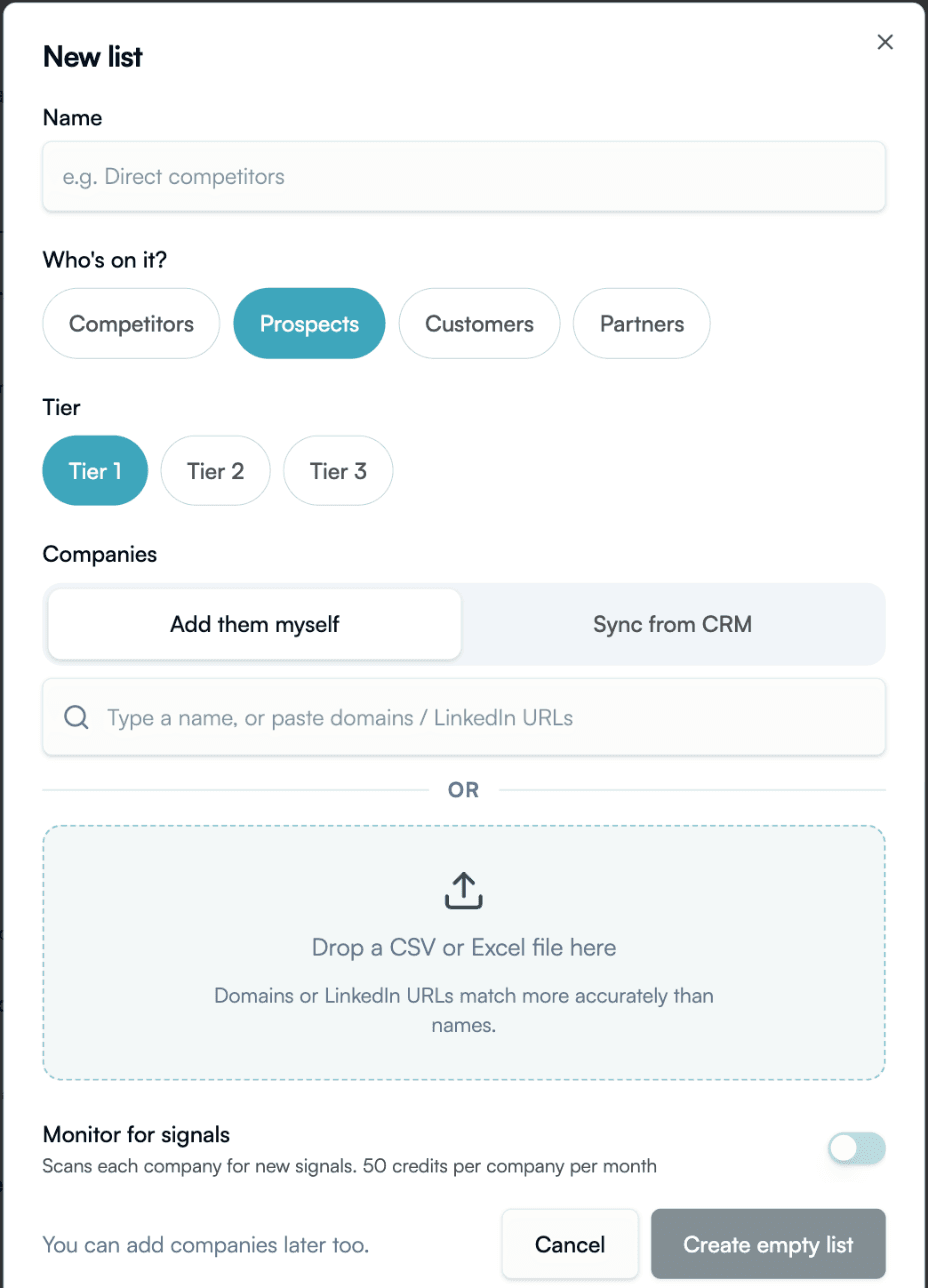
Click New list in Company lists, then:
- Give it a Name.
- Under Who's on it?, pick Prospects, Customers, Competitors or Partners.
- For Prospects, pick a Tier.
- For Prospects and Customers, an admin can turn on Monitor for signals. The window shows what it costs in credits each month before you create the list. You can also monitor later, from Key accounts.
Add the companies
Choose how the list fills up:
- Add them myself: paste company names, websites or LinkedIn pages, one per line, or drop a CSV or Excel file. Up to 2,000 companies at a time.
- Sync from CRM: set rules on what your CRM knows about each company, like "Account Type = Customer". The list fills itself and stays in step with your CRM. See Territories and segments.
Sillage checks each company before adding it. When it is not sure which company you mean, it asks you to pick the right one or skip it. Skipped companies are not added.
Click Create list with N companies.
Create a people list
Click New list in People lists, give it a name, pick Champions or Influencers, and paste LinkedIn profile links or drop a file.
For champions, click Next: their companies and type the company where you knew each one. It is optional, but it lets Sillage spot a move on its very first check.
To add companies or people later, click the + next to the list. Its ⋯ menu holds Rename, Duplicate… and Delete. A list a signal setup still watches cannot be deleted.
How you know it worked
The list opens in a side panel right after you create it. A message says how many companies were added. On Prospects and Customers lists, the Decision makers column first reads "Mapping people…", then "N people" once Sillage has found the right people in each company. That is account mapping.
Next
Follow my key accounts and choose which ones Sillage watches for signals.