Credits
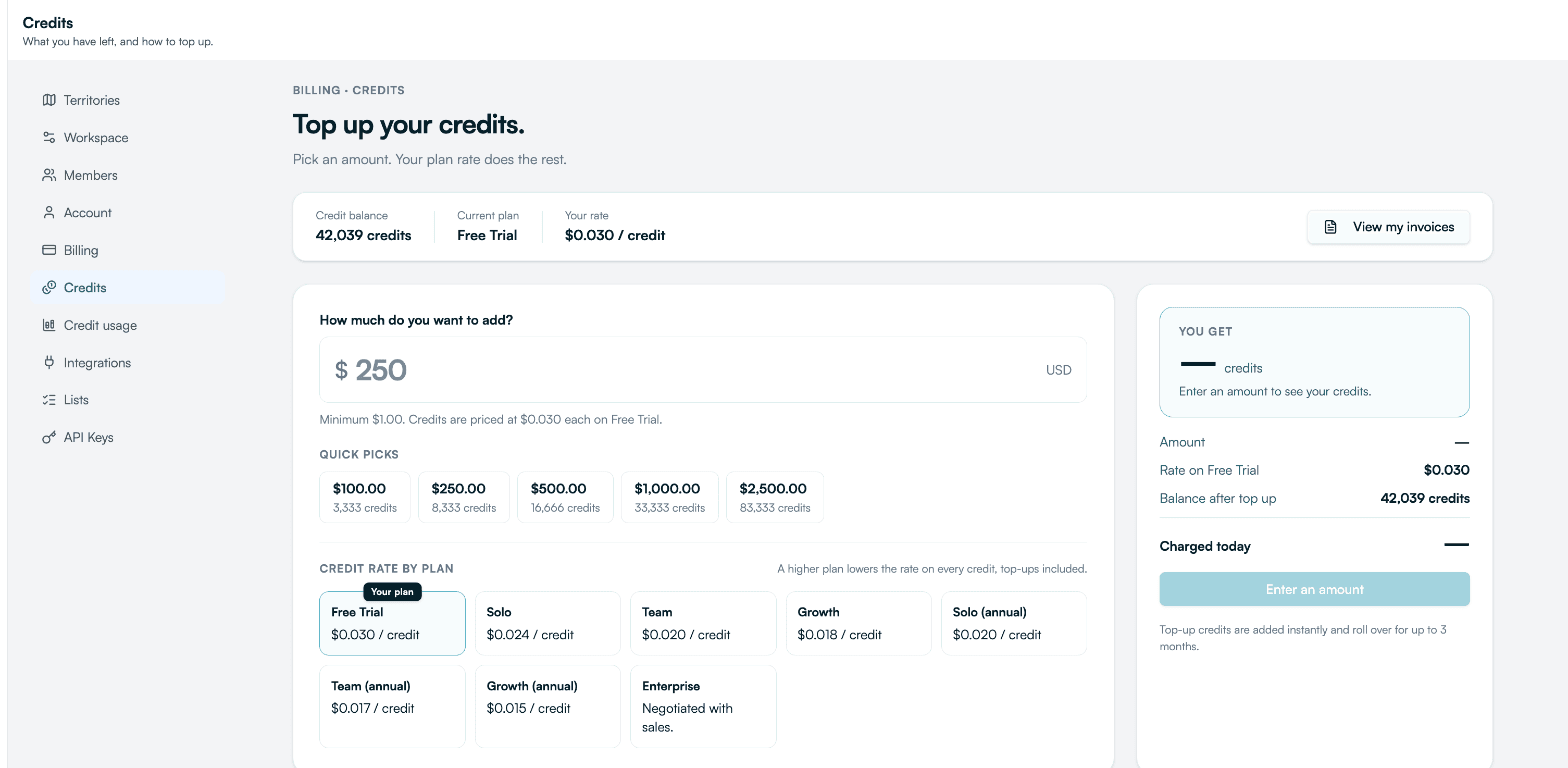
What Sillage actions cost on your plan, and what happens when you run low.
Credits are what Sillage actions cost on your plan. You buy them in batches and spend them as Sillage works for you.
Why it matters
Credits let you decide where Sillage spends its effort: which accounts to watch closely, how far to look for new buyers, and whose contact details to find.
How it works
Here is what each action costs:
| What Sillage does | Price |
|---|---|
| Monitoring a key account | 50 credits per account, per month |
| Find new leads | 10 to 40 credits per signal found, see below |
| Finding an email | 3 credits per email found |
| Finding a phone number | 30 credits per phone number found |
| Account mapping | 1 credit each time Sillage maps an account |
| Champion tracking | 1 credit per 10 champions checked |
Find new leads is what a signal setup costs when you tick it: it looks beyond your key accounts, and you pay for each signal it finds.
| Signal template | Price per signal found |
|---|---|
| Job change | 10 credits |
| Engaged with my content on LinkedIn | 20 credits |
| Mentioned my brand | 20 credits |
| Mentioned keywords on LinkedIn | 20 credits |
| Mentioned competitor brand on LinkedIn | 20 credits |
| Engaged with influencers in my space on LinkedIn | 20 credits |
| Champion joined a new company or promoted | 40 credits |
| Engaged with my partners on LinkedIn | 40 credits |
| Engaged with competitors on LinkedIn | 40 credits |
| Mentioned keywords in their job offers | Key accounts only, no Find new leads |
| Hiring for roles my product serves | Key accounts only, no Find new leads |
- Monitoring renews by itself every month. With several business units, each one pays for the accounts it monitors.
- Monitored accounts cost nothing more. Signal setups on the key accounts you already monitor are included, and so is mapping them.
- A Maximum signals per week caps Find new leads, so you control what it can spend.
- You pay for an email or a phone number only when Sillage finds one. When nothing is found, the credits come back.
- Automatic email enrichment is free. When you switch it on in Settings → Workspace, new leads get their email at no cost. The 3 credits apply when you ask for an email on a lead.
- Batches can expire. Sillage spends first from the batch that expires first.
- When you run out, monitoring pauses and Find new leads stops. Monitoring resumes on its own when you add credits.
- If you are billed through a partner, your usage goes on their invoice and no balance shows in Sillage.
Where you find it
- In the app: your balance at the foot of the sidebar. Settings → Credits shows what you have left and how to top up. Settings → Credit usage shows where your credits went.
- With your assistant: ask "How many credits do I have left, and what did I spend them on this month?"
- With the API: Credit balance and Credit usage.